The job doesn't end at the driveway.
Send the right tech, close the job on site, and get it billed — automatically, even with no signal. Paperwork stops being a Friday problem.
The tech is on site. The office is guessing.
Where is the technician, is the job done, what did they fit, did the customer sign? It's phone calls, a photo texted later, and a paper worksheet that gets typed up on Friday — if it doesn't get lost first. Every gap between the van and the office is billing that slips.
Every job — and every tech — on one map.
Jobs land on a calendar and a live map as pins at the customer's site. A technician on the way can share their location, so the dispatcher watches them close on the pin instead of phoning to ask how far off they are.
No signal in the plant room? The job still closes.
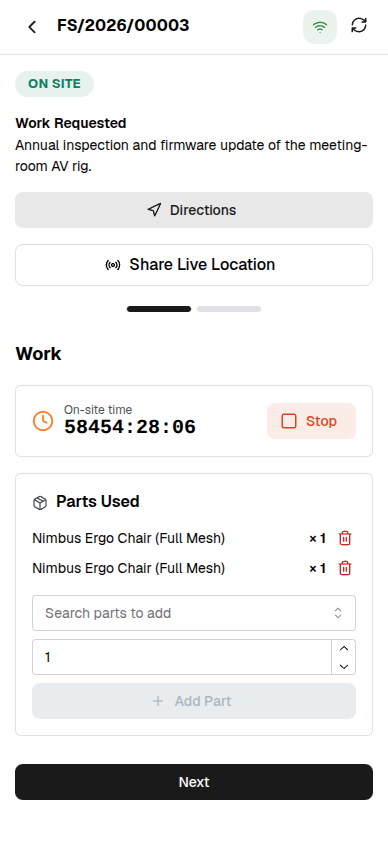
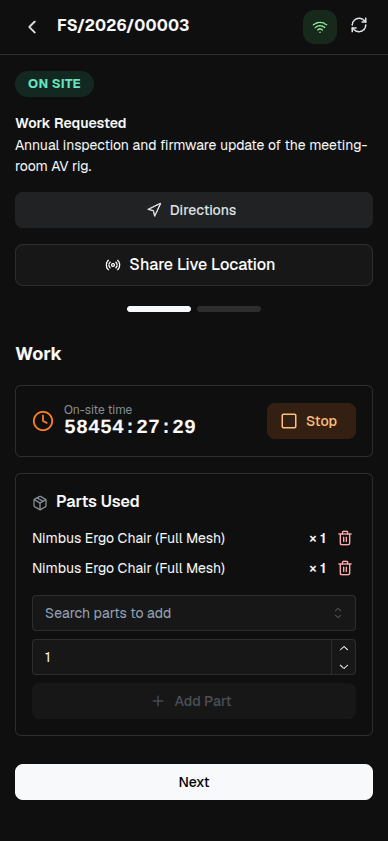
The technician runs the whole visit on the device — offline. A Start/Stop timer books the hours, spare parts come off the van, the customer signs, photos go on as proof. It all syncs the moment a signal returns, and a visit that uploads twice only counts once.
The parts came off the van. The books already know.
Close the job and the spare it fitted is drawn from stock, the timer's hours become a labor line, and the billable parts and labor draft a customer invoice — one pass, no re-typing. A job under warranty totals to no charge on its own.
One connected system
The same customers, products and stock run through Field Service and every other app — nothing kept in a separate tool.
Open-core
The core apps are open source, and the whole thing is yours to self-host.
Free, unlimited users
Self-host the Free edition with your whole team on it — no per-seat fees, no seat counting, no trial running out.
Only what you need
Run Field Service on its own, and switch on the rest of the suite when you're ready.
Field service management software, answered.
How is this different from a helpdesk?+
A helpdesk answers tickets from a desk. Field service dispatches a technician to a customer site — schedule the job on a calendar and a live map, run the work on an on-site worksheet, pull spare parts from stock, capture a signature, and bill the parts and labor when it is done.
Does the on-site app work without a signal?+
Yes. The technician’s worksheet is offline-capable — the timer, spare parts, geo-stamps, signature and photos are all captured on the device and synced when a connection returns. A visit that syncs twice is applied once, so nothing is double-booked.
How do parts and labor get billed?+
Every spare part the technician installs and every hour the on-site timer books becomes a line on the job. Mark it billable and it flows straight onto a customer invoice — and a job under warranty defaults to no charge.
Which plans include Field Service?+
Field Service is part of the Standard and Enterprise plans. Your data stays yours either way — export it whenever you like, and self-host if you’d rather run it on your own servers.
Apps that pair with Field Service
Run Field Service — and the rest of your business — in one place.
Join the waitlist and be first through the door when Fullfinity launches.
Join the waitlist