Booking a time shouldn't take five emails.
Let customers pick a real open time themselves, and everything after — the invite, the video link, the reminders — takes care of itself. The back-and-forth just stops.
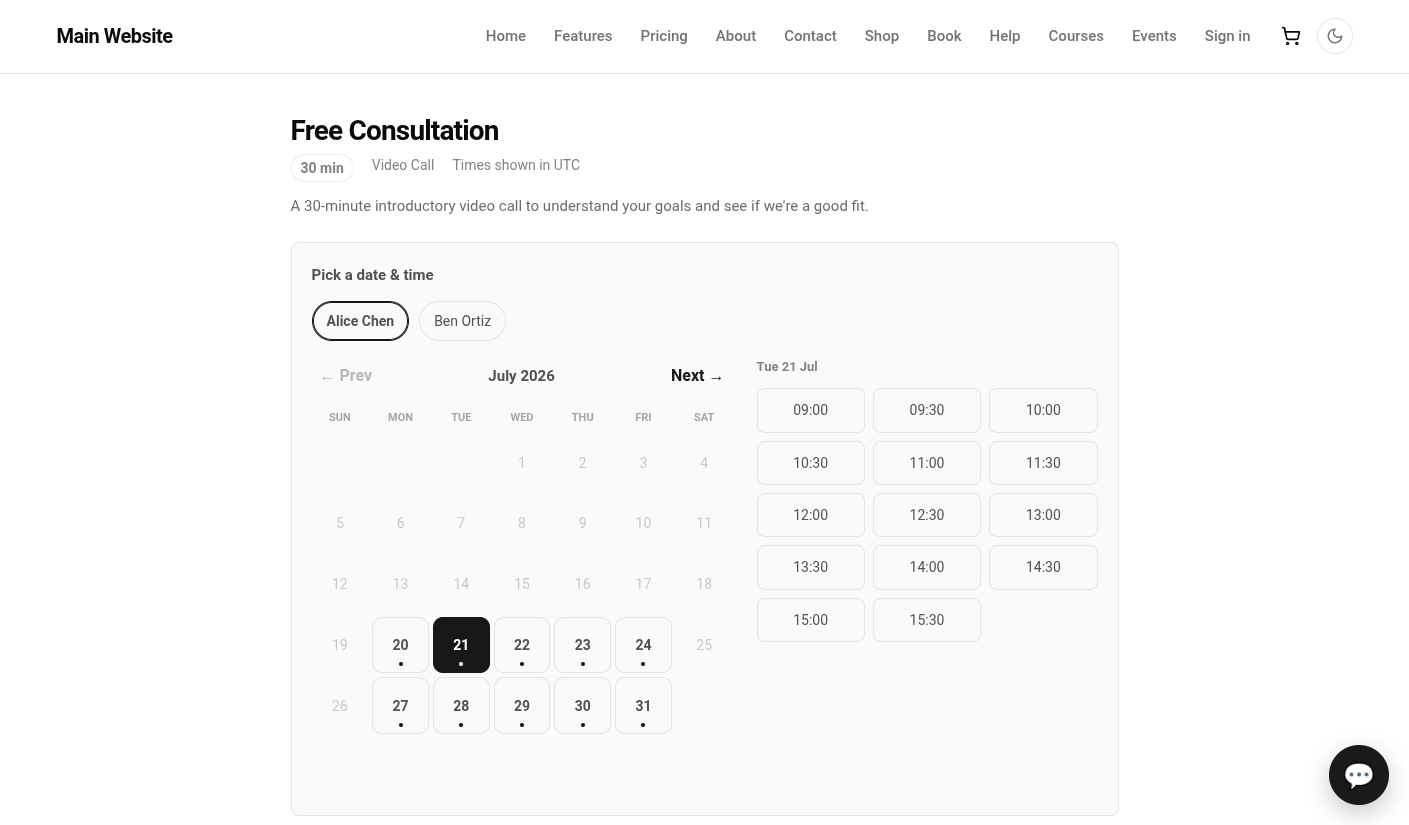
Six emails to land on a time that's already gone.
You suggest a time, they suggest another, and by the time you agree the slot's taken by someone else. Every "are you free Thursday?" is a small tax on both of you — and the calendar still isn't holding anything.
A booking that puts itself on the calendar.
The moment a slot is taken it's confirmed, a meeting lands on the staff member's calendar with a video link, and the guest gets an invite and a reminder before the time. You didn't lift a finger to arrange any of it.
The only times you offer are the ones you have.
Every open slot comes from your working hours and your live calendar, minus the buffers and notice you set — so two people can never grab the same time, and nobody books you into a gap that isn't there.
Let guests move their own bookings.
Plans change. Instead of a thread to reschedule, the guest gets a private link to move or cancel their own appointment — no account, no login — and the calendar keeps up with them.
One connected system
The same customers, products and stock run through Appointments and every other app — nothing kept in a separate tool.
Open-core
The core apps are open source, and the whole thing is yours to self-host.
Free, unlimited users
Self-host the Free edition with your whole team on it — no per-seat fees, no seat counting, no trial running out.
Only what you need
Run Appointments on its own, and switch on the rest of the suite when you're ready.
Appointment scheduling software, answered.
How is this different from a standalone scheduling tool?+
A standalone scheduler still lives apart from the people, calendars and customers it books. Here the booking lands on your staff's own calendar, offers slots from the working hours they already keep, and the customer becomes a contact the rest of your business can see — nothing to sync.
Can customers book without an account?+
Yes. Booking happens on a public page, and the guest can reschedule or cancel from a private link — no login, no sign-up. Their contact details are captured on the appointment either way.
Does it keep me from being double-booked?+
Yes. Open slots are computed live from each staff member's hours and existing calendar, and every reservation is locked so two people can never take the same time. If a slot goes while someone is booking, they're asked to pick another.
Can I self-host it?+
Yes — the Free edition runs on your own server, free, with your whole team on it. Prefer not to run servers? We host a managed cloud. Same product either way.
Apps that pair with Appointments
Run Appointments — and the rest of your business — in one place.
Join the waitlist and be first through the door when Fullfinity launches.
Join the waitlist